
CATALOG QUALITY
How to find missing product specifications before shoppers do
By umisdev · Updated
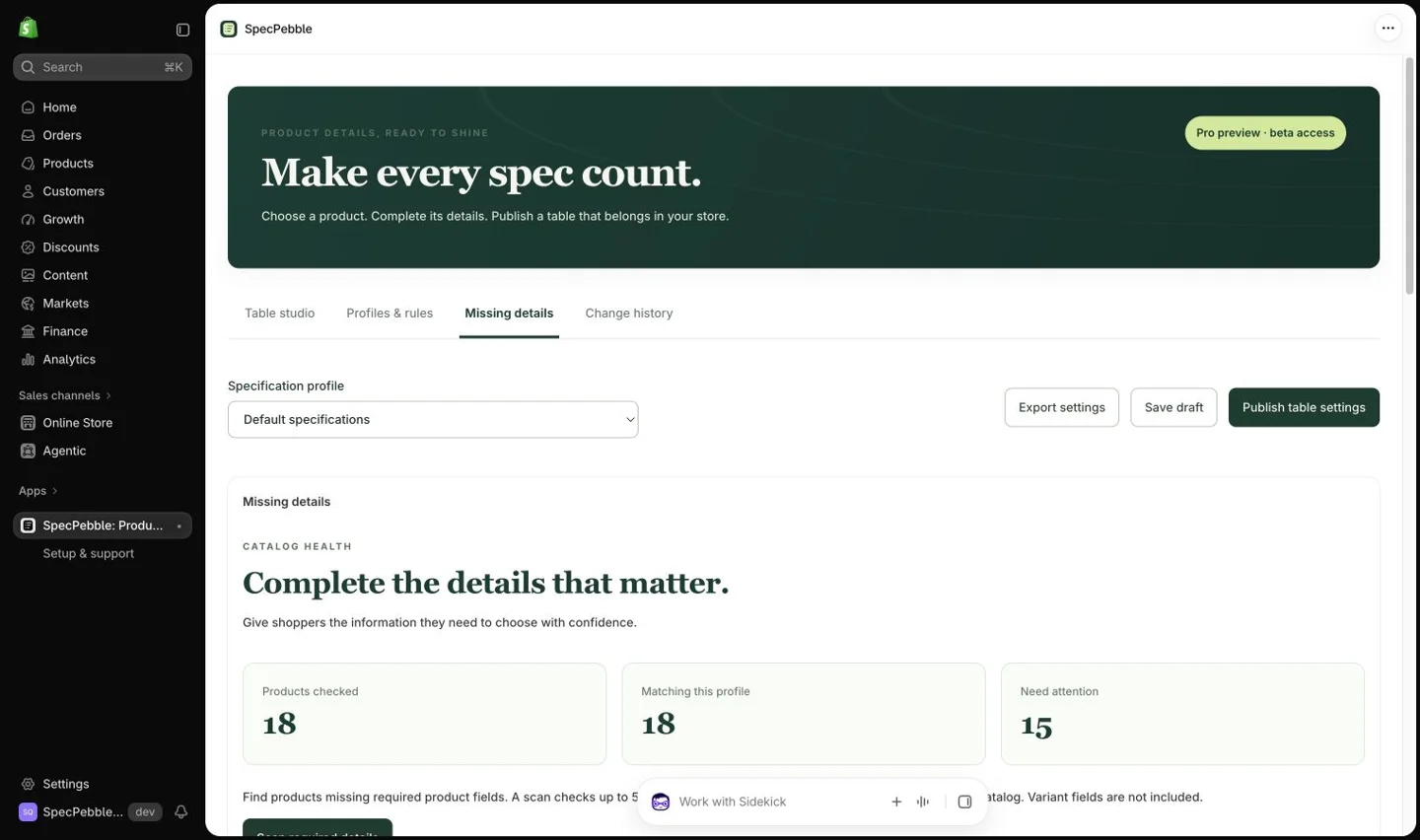
Define the specifications that matter for a product family, mark them required and scan for missing values. SpecPebble’s Missing details workspace helps identify gaps on Pro and Enterprise; Enterprise also adds a Shopify Flow action for checking required product specifications in a workflow.
Make required mean useful
A useful check begins with a small set of facts shoppers need. Furniture may need dimensions and material. Electronics may need a model and the relevant technical specifications. Do not mark a field required simply because it is available.
Use separate profiles for product families with different requirements. On Pro and Enterprise, product type, vendor or tag rules can select the relevant profile. Review the matching products and rule order before publishing.
Review the coverage, then fix the gaps
- Configure the relevant profile and required rows, then publish the specification configuration.
- Open Missing details and run a scan. Read its coverage and timestamp so you know what was checked.
- Review the products and missing fields. Open the affected product, enter verified values and review the changes before saving.
- Run a fresh check after editing. A sampled or incomplete result does not establish that the whole catalog is complete.
Add a Flow check when a repeatable workflow helps
On Enterprise, use the Check product specifications action in Shopify Flow and pass the product from your workflow. The action returns a missing-details count that can be used in a condition. Choose the next step in Flow to suit your team’s process.
These checks currently cover required product-level fields; required variant fields need separate review. A zero missing count alone is not a complete result when the status is PARTIAL or NOT_CONFIGURED. The check reads product information. It does not invent missing specifications or automatically repair a product. Treat incomplete or unsupported coverage as a reason to review the result, not as proof that the product is complete.
Page layout and data quality solve different jobs
PageFly integration places SpecPebble’s product details and choices in a compatible PageFly product template. It is available on Pro and Enterprise. Shopify Flow checks help route work based on missing data and require Enterprise.
Use the layout integration to present the details clearly, and a catalog check to make sure the necessary information exists. Neither replaces a final check of your published product page.
A few useful answers
Does a successful scan prove every product is ready?
Only assess the coverage actually reported. Check the scan timestamp and whether the result is complete or sampled. Product content can also change after a scan.
Which plan includes Shopify Flow?
Shopify Flow specification checks are included in Enterprise. Missing details and PageFly integration are included in both Pro and Enterprise.